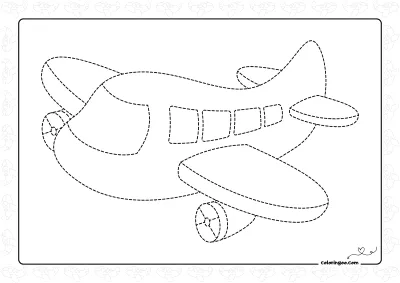
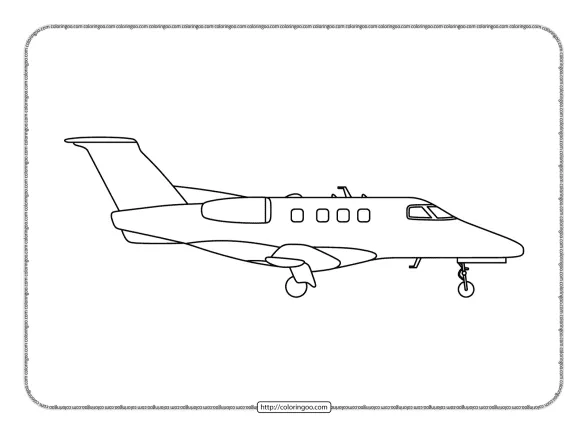
This side-view Embraer Phenom 100 coloring sheet offers clean outline contours ideal for all ages, kids, and aviation hobbyists. Colorists practice motor control and concentration filling the streamlined fuselage, cockpit, and landing gear. Designed for crisp single-sided printing on standard US Letter or A4 paper using PDF or PNG downloads.
Embraer Phenom 100 Coloring Page
This line art features the sleek silhouette of an Embraer Phenom 100 light business jet resting on its landing gear in side profile. The drawing emphasizes the aircraft's distinctive T-tail stabilizer, rear-mounted engine nacelle, compact fuselage, and clean row of passenger cabin windows. Clear, unshaded contours define the streamlined nose cone and cockpit windshield, presenting an uncluttered aviation subject ready for custom paint schemes.
Filling the broad fuselage panels encourages smooth, consistent pencil strokes, while detailing the tiny cockpit windows and landing wheels refines fine motor control and spatial precision. This balanced printable suits all ages, giving younger kids approachable sections and offering adult aviation fans space to sketch personalized livery designs. Print this illustration single-sided on standard A4 or US Letter paper in PDF or PNG format for best results with markers or colored pencils.
For balanced visual harmony and fine motor control, begin by laying down gentle base tones before layering deeper shades along the contour lines of Embraer Phenom 100 Coloring Page.
-
Aviation White
#ECEFF1: Main fuselage and wing base shading -
Navy Blue
#1E3A8A: Decorative cheatline stripes and tail accents -
Slate Grey
#475569: Jet engine intakes and landing gear struts -
Sky Reflection Blue
#38BDF8: Cockpit windshield and passenger oval windows
Click the Print & Download button. The PDF opens in a new window. Print by clicking the printer icon in the top right.
Yes! You can download and print it for free for personal and classroom use.
Yes, teachers and parents can print copies for students and kids at home.
A4 and Letter both work well. Use thicker paper for markers.