This Joker playing card outline offers clean stencil line art featuring detailed facial makeup contours. Tailored for all ages, kids and adults can refine pencil pressure and bilateral coordination. Optimized for sharp A4 or US Letter printing, it provides a versatile Batman-themed creative project directly on standard paper.
Printable Joker Card Pdf Coloring Page
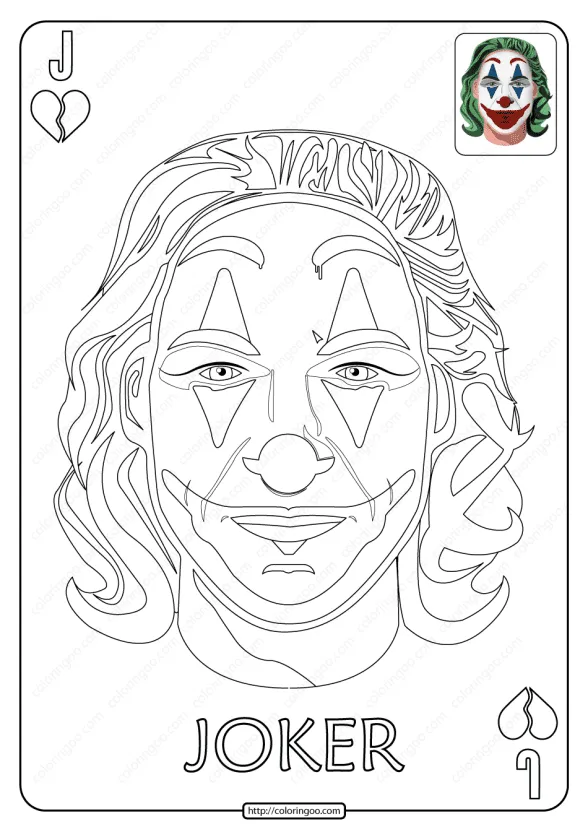
This printable illustration reimagines the iconic Gotham villain as a dramatic playing card, complete with broken heart card suits and bold typography. The portrait highlights Arthur Fleck’s haunting gaze, defined by sharp triangular face paint around the eyes, wavy shoulder-length locks, and an exaggerated painted grin. Clean contours frame every detail, from the rounded clown nose to the stylized hair strands curving along his shoulders.
Filling the sweeping locks fosters steady wrist control and stroke consistency, while the pointed eye triangles demand deliberate fine motor precision. Balancing the card corners and facial makeup naturally builds spatial awareness and sustained visual focus. Designed for all ages, including kids and adults, this printable sheet works best when printed on single-sided A4 or US Letter paper using crisp PDF or PNG formats.
For balanced visual harmony and fine motor control, begin by laying down gentle base tones before layering deeper shades along the contour lines of Printable Joker Card Pdf Coloring Page.
-
Emerald Green
#1B6B3A: Shading wavy textured hair -
Crimson Red
#A81D24: Filling wide painted lips and clown nose -
Cerulean Blue
#1A5276: Coloring sharp eye makeup triangles -
Soft Chalk White
#F5EBE6: Base face paint highlight areas -
Charcoal Black
#212529: Outlining card suits and letter text
Click the Print & Download button. The PDF opens in a new window. Print by clicking the printer icon in the top right.
Yes! You can download and print it for free for personal and classroom use.
Yes, teachers and parents can print copies for students and kids at home.
A4 and Letter both work well. Use thicker paper for markers.