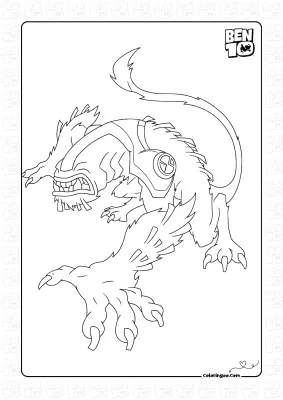
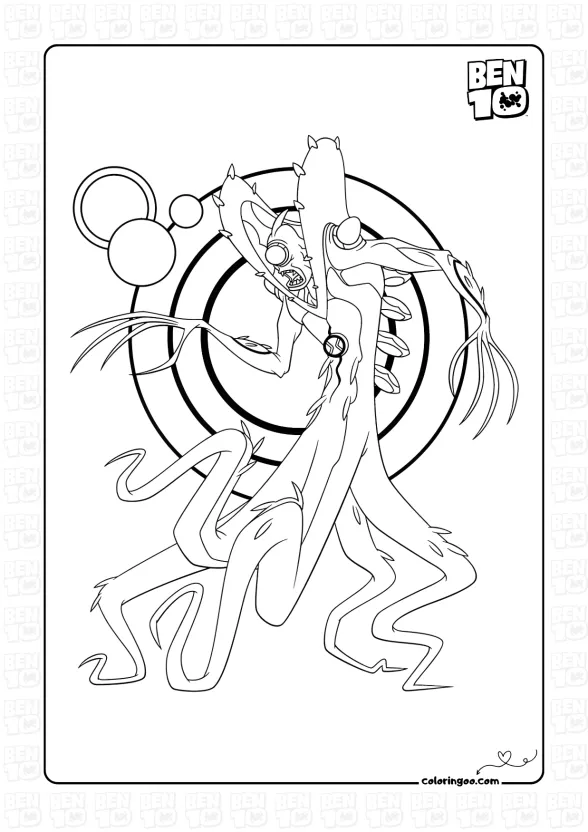
This Wildvine Ben 10 coloring page features clear line art contours and dynamic botanical shapes suitable for all ages, kids and adults. Coloring intricate vines and claws develops pencil control and fine motor skills. Download as a high-resolution PDF or PNG, optimized for crisp printing on US Letter or A4 sheets.
Wildvine Ben 10 Coloring Page
Wildvine unleashes his alien botanical power with long, flexible vine legs and sharp-clawed branch fingers extended in an alert action stance. His distinctive single eye peers out from inside a spiky flytrap collar, while seed pods rest along his shoulders. Bold circular target rings frame his dynamic posture in the background, contrasting straight geometry against his winding, root-like limbs.
Navigating the narrow spikes and curving vine segments demands precise hand-eye coordination. Young hands build finger strength by following the tapering tips of each claw without slipping past the crisp black outlines. Meanwhile, older artists can explore shading gradations along his sinuous torso, building steady grip control and patient focus across varied line weights.
Designed for all ages, kids and adults will appreciate the balance between broad organic shapes and intricate thorn details. For clean results without bleeding or paper warping, print this page on standard US Letter or A4 heavyweight paper using single-sided PDF or crisp PNG options. Choose vivid greens, earthy browns, and glowing accents to bring this Florauna hero to life.
For balanced visual harmony and fine motor control, begin by laying down gentle base tones before layering deeper shades along the contour lines of Wildvine Ben 10 Coloring Page.
-
Vine Leaf Green
#4C8C2B: Main body and twisting vine tentacles -
Deep Forest Green
#275216: Flytrap neck interior and shading -
Neon Sprout Lime
#A4D233: Highlights along stem edges -
Omnitrix Badge Blue
#6C93AC: Chest symbol and eye accent -
Seed Pod Brown
#8C6239: Back pods and background circles
> Click the Print & Download button. The PDF opens in a new window. Print by clicking the printer icon in the top right.