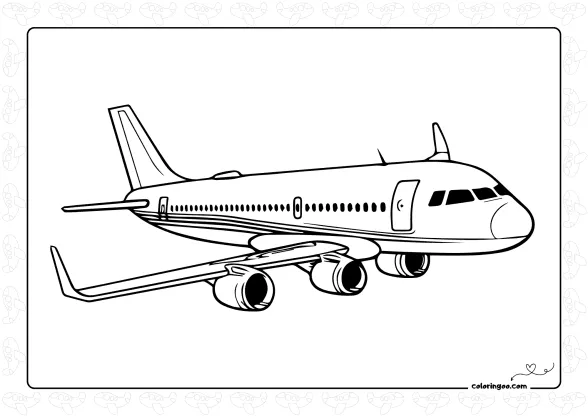
This airplane outline coloring page features crisp contours of a commercial jetliner, ideal for all ages, kids and adults. Coloring the uniform windows and sweeping wings enhances fine motor skills, hand-eye coordination, and focus. Download as a high-resolution PDF or PNG formatted for easy single-sided printing on standard A4 or US Letter paper.
Airplane Outline Coloring Page
This printable illustration captures a modern commercial passenger jet soaring in mid-flight, viewed from an engaging three-quarter perspective. Clear, confident black outlines define the streamlined fuselage, vertical stabilizer, swept wings with upturned winglets, and massive dual jet engines beneath each wing. A neat row of uniform passenger windows stretches along the flank, offering distinct geometric spaces ready for vibrant shades or realistic metallic tones.
Filling in the precise rows of cabin windows and the narrow cockpit glass challenges artists to refine pencil pressure and spatial control. Meanwhile, the expansive, open curves of the airplane body allow younger hands to practice broad, smooth strokes without feeling overwhelmed. Suitable for all ages, kids and adults alike, this aviation template prints cleanly on single-sided US Letter or A4 paper in both PDF and PNG formats.
For balanced visual harmony and fine motor control, begin by laying down gentle base tones before layering deeper shades along the contour lines of Airplane Outline Coloring Page.
-
Aero Blue
#4A90E2: Fuselage stripe and tail livery -
Turbine Silver
#D1D5DB: Jet engines and wing surfaces -
Cockpit Slate
#1E293B: Cockpit windows and engine intake centers -
Cloud White
#F3F4F6: Main aircraft body base tone -
Beacon Amber
#F59E0B: Wingtip navigation accents and logo highlights
Click the Print & Download button. The PDF opens in a new window. Print by clicking the printer icon in the top right.
Yes! You can download and print it for free for personal and classroom use.
Yes, teachers and parents can print copies for students and kids at home.
A4 and Letter both work well. Use thicker paper for markers.