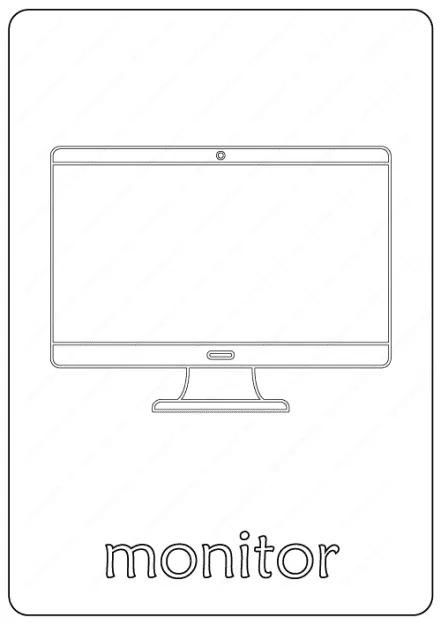
This computer monitor coloring page features crisp outline linework with bold contours, making it ideal for all ages, kids and adults. Learners enhance fine motor skills, pencil grip control, and digital literacy. Optimized for US Letter and A4 printing, the PDF download provides an engaging technology-themed art activity.
Printable Monitor Coloring & Drawing Pages PDF
This printable worksheet highlights a modern desktop computer monitor set atop a curved stand, complete with an integrated top webcam and lower speaker grille. Below the crisp hardware silhouette, hollow block lettering spells out monitor, inviting young learners to practice letter coloring alongside everyday technology recognition. The central screen provides a wide-open canvas where artists can draw custom wallpapers, video game interfaces, or vibrant color gradients.
Navigating the thin outer bezel and slender support neck challenges pencil pressure control, teaching children to modulate between tight cornering and expansive strokes. Letterform tracking along the lower title reinforces fine motor dexterity and basic word familiarity. Simultaneously, filling the expansive display encourages spatial planning and visual balance as students decide whether to render realistic metallic surfaces or imaginative digital scenes.
Crafted for all ages, kids and adults, this printable sheet functions smoothly across early STEM classrooms, technology literacy units, or quiet home art stations. The linework remains sharp whether printed on standard US Letter or international A4 paper sheets. Selecting single-sided print settings in PDF or PNG formats ensures that heavy ink, markers, or mixed media will not bleed through.
- Use a fine-point colored pencil to trace the narrow bezel borders before filling the wide display area.
- Draw an original picture or video game scene inside the empty screen before adding background colors.
- Practice steady horizontal strokes when shading the wide monitor base to build even pencil pressure control.
For balanced visual harmony and fine motor control, begin by laying down gentle base tones before layering deeper shades along the contour lines of Printable Monitor Coloring & Drawing Pages PDF.
-
Slate Bezel Gray
#2B2D42: Outer frame, webcam circle, and stand outlines -
Metallic Silver
#8D99AE: Speaker bar and curved monitor base -
Vibrant Screen Cyan
#00B4D8: Custom wallpaper or illuminated display surface -
Soft Neutral Light
#E0E1DD: Hollow monitor lettering fill and highlights
Click the Print & Download button. The PDF opens in a new window. Print by clicking the printer icon in the top right.
Yes! You can download and print it for free for personal and classroom use.
Yes, teachers and parents can print copies for students and kids at home.
A4 and Letter both work well. Use thicker paper for markers.