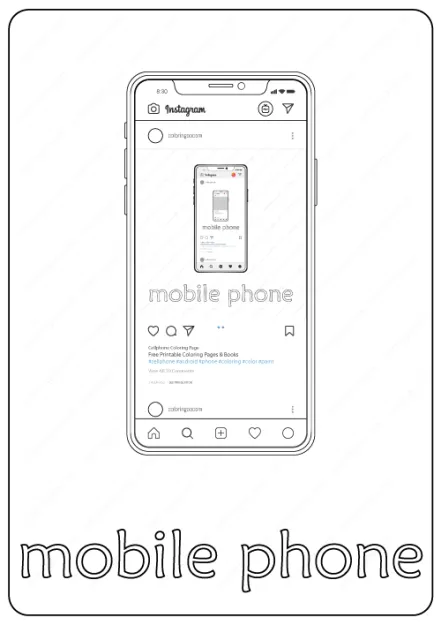
This mobile phone line art stencil features clear geometric outlines, miniature interface icons, and bold bubble text. Tailored for all ages, kids and adults, the sheet refines hand-eye coordination and linear pencil stability. Download and print on single-sided A4 or US Letter paper for clean, smudge-free coloring with markers.
Mobile Phone Coloring Page – Book PDF
A sleek smartphone takes center stage here, complete with tiny interface icons, speaker sensors, and an authentic social feed preview right on the screen. Below the handset, broad bubble letters spell out the subject name, inviting early writers to trace rounded typography. Clean geometry dominates the presentation. Straight perimeter bezels pair nicely with small digital buttons, giving learners an exciting look at everyday modern technology through crisp black outlines.
Navigating the rectangular device encourages measured hand stability as artists move past the exterior trim toward the intricate interior feed. Coloring small heart shapes, navigation arrows, and message bubbles trains fine pincer coordination and spatial discipline. Older creators gain satisfaction by adding realistic gradients to the glass surface, while younger children practice pencil braking along the sturdy typographic outlines. The balanced difficulty challenges multiple dexterity levels without overwhelming beginners.
Designed for all ages, kids and adults, this modern technology sheet works beautifully during quiet study periods or casual afternoon craft sessions. Print it out directly on standard US Letter or A4 paper using either PDF or PNG formats. The bold exterior border ensures no ink bleeds past the frame, making single-sided sheets durable enough for heavy felt pens, metallic gel markers, or colored pencils.
- Rotate your paper horizontally when tracing the long outer bezel edges to keep pencil strokes steady and straight.
- Use fine-point markers for micro icons like hearts and arrows, reserving soft colored pencils for wide screen backgrounds.
- Layer a soft diagonal white streak across the dark glass screen area to simulate an authentic glass glare effect.
For balanced visual harmony and fine motor control, begin by laying down gentle base tones before layering deeper shades along the contour lines of Mobile Phone Coloring Page – Book PDF.
-
Space Gray
#2B2D42: Device chassis and outer protective bezel -
Slate Screen Glass
#8D99AE: Touchscreen background base tone -
Notification Red
#EF233C: Interface heart icons and badges -
Vibrant App Blue
#3A86FF: Header elements and action buttons -
Soft Off-White
#F1FAEE: Feed post cards and bubble lettering
Click the Print & Download button. The PDF opens in a new window. Print by clicking the printer icon in the top right.
Yes! You can download and print it for free for personal and classroom use.
Yes, teachers and parents can print copies for students and kids at home.
A4 and Letter both work well. Use thicker paper for markers.